
DreamySites SMTP Mailer
Your WordPress emails land in spam because they are sent without authentication. This plugin routes every email through your real SMTP provider, so order confirmations, password resets, and contact form messages actually reach the inbox.
100% free. No pro version, no locked features, no ads.
Works with the email service you already use
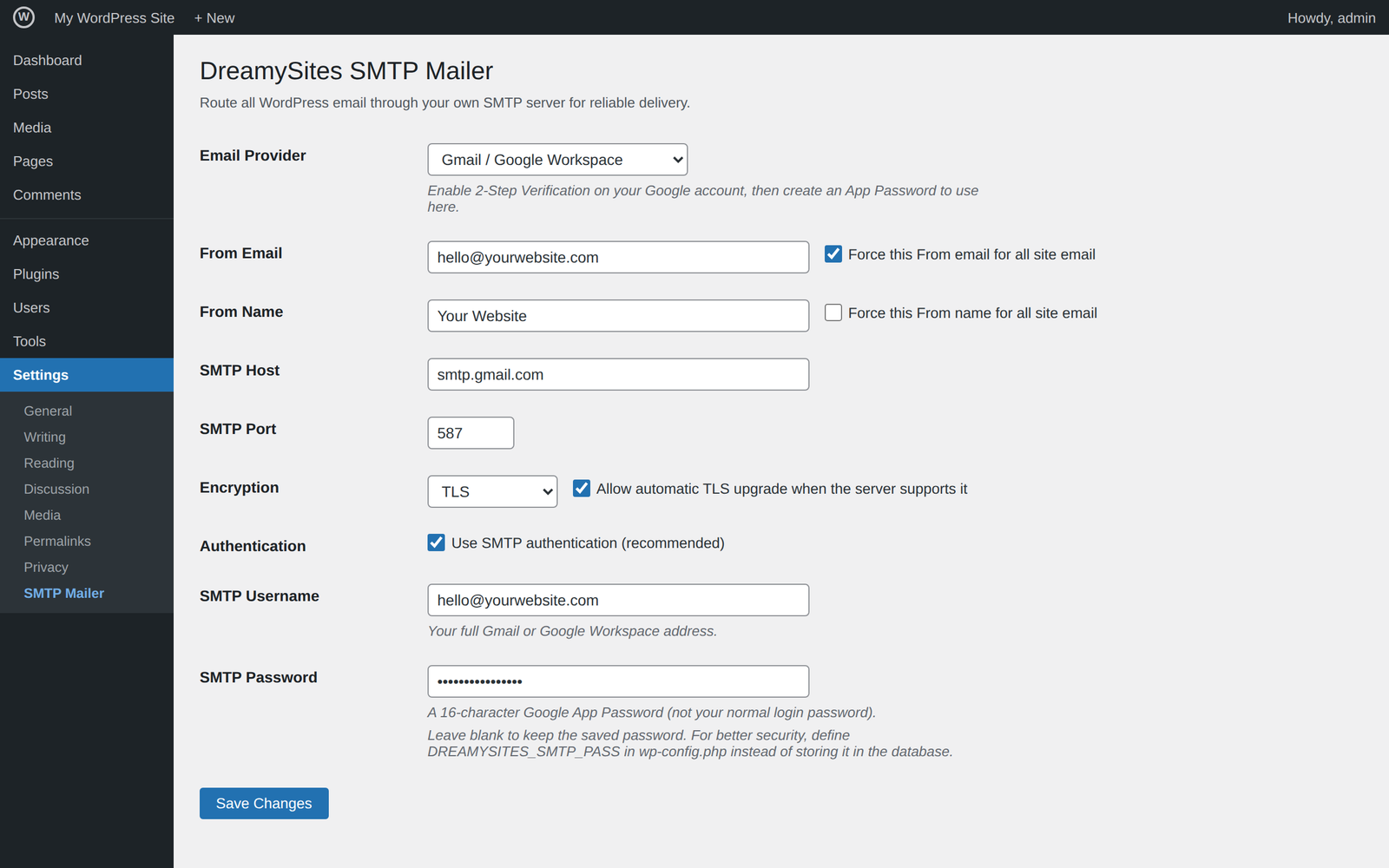
Pick your provider from a dropdown and the plugin fills in the server settings for you: host, port, encryption. It also tells you exactly which username and password that provider expects.
Everything you need. Nothing you have to pay for.
Provider presets
Ten built-in presets auto-fill server settings and explain each provider's credentials, so setup takes minutes instead of guesswork.
Test email tool
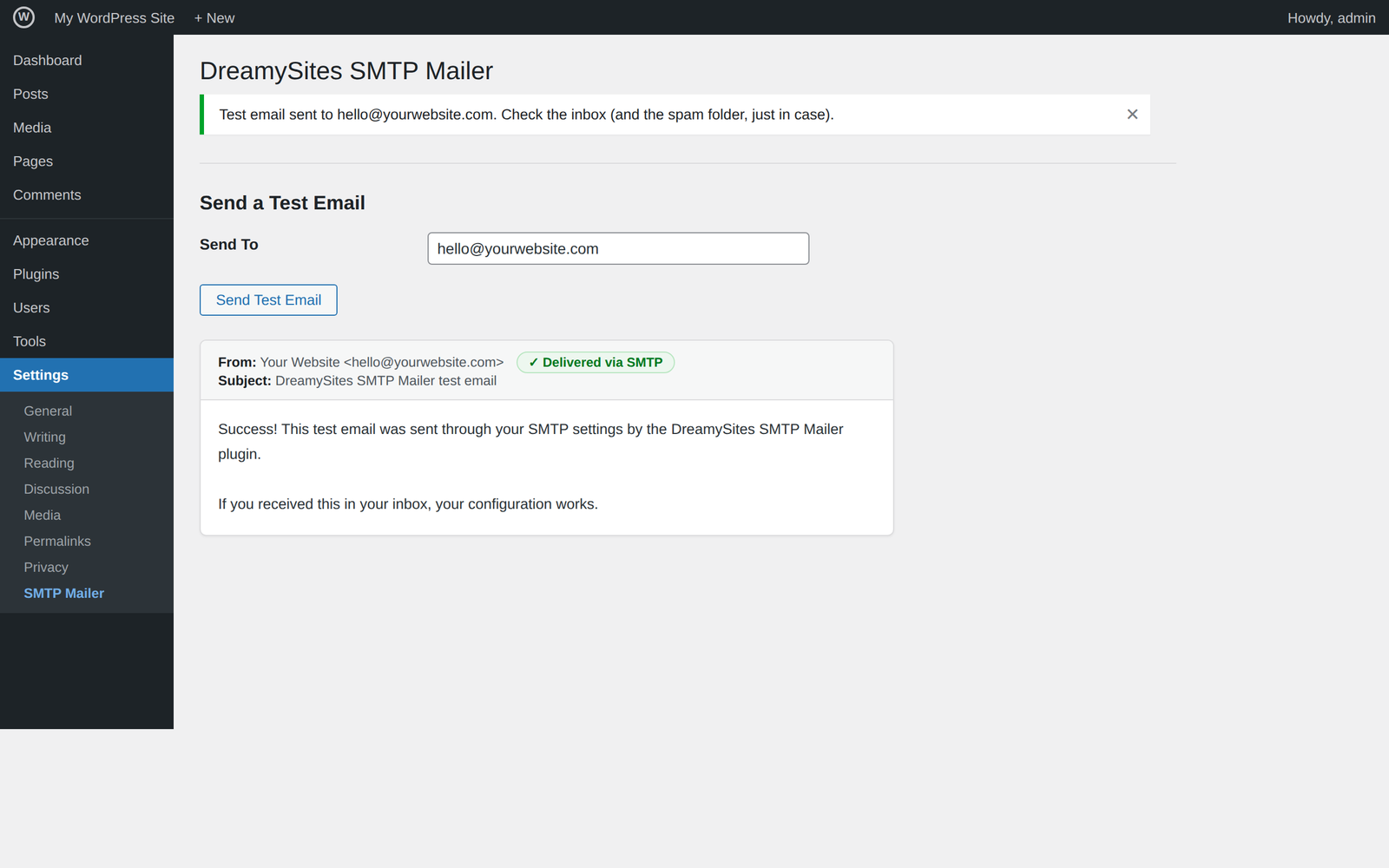
Send a test message from the settings screen and see the result instantly. Confirm delivery before your customers do.
From name & email override
Force a consistent sender name and address across your whole site, including emails sent by other plugins.
Password kept out of the database
Optionally store your SMTP password as a constant in wp-config.php instead of the database. A safer setup for agencies and client sites.
Lightweight, single purpose
One job done well. No bundled page builders, no upsell banners, no bloat slowing your admin down.
Free forever
Built by an agency that runs it on client sites daily. Every feature is included. There is no pro tier.
See it in action
Set up in four steps
- Install the pluginFrom your WordPress dashboard: Plugins → Add New → search "DreamySites SMTP Mailer". (Directory listing coming soon; the plugin is currently in wordpress.org review.)
- Choose your email providerPick from the dropdown. Server settings fill in automatically.
- Enter your credentialsThe plugin tells you exactly which username and password your provider expects: API key, app password, or SMTP login.
- Send a test emailHit the test button. A green result means every email from your site now goes through your provider.
Built and maintained by Dreamy Sites
We are a WordPress agency with 12+ years of experience and 1,600+ websites delivered. Broken email was the support ticket we saw most on almost every site we inherited, so we built the fix we install ourselves and released it free for everyone.
DreamySites SMTP Mailer is developed, tested, and maintained by our team as part of the Dreamy family of WordPress tools.
Questions or need help?
We answer support questions for this plugin directly. Reach out and a developer, not a bot, will reply.